
How to Download Jenny Mod?
Pick your device below and follow the steps.
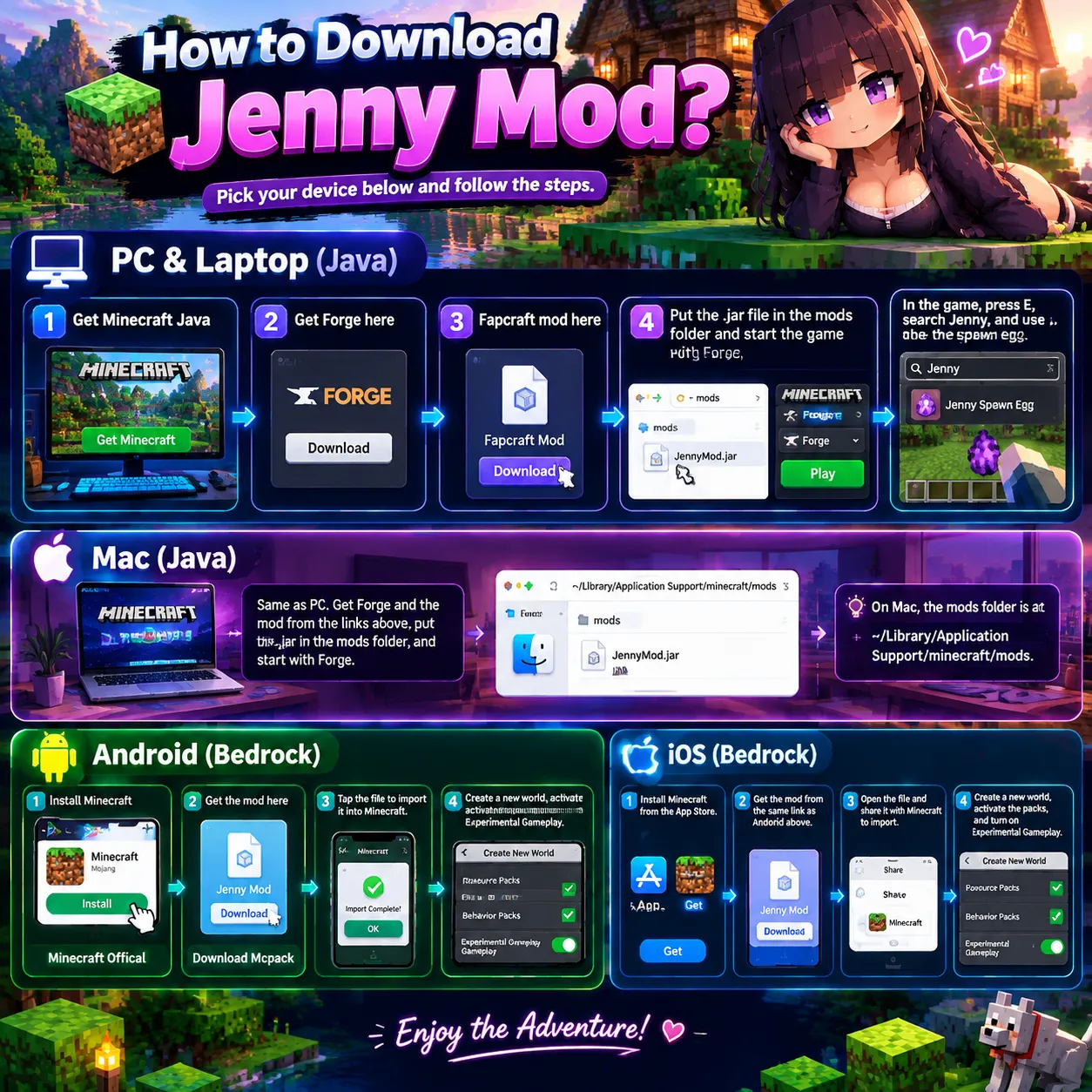
PC and Laptop (Java)
(Step no 1: Get Minecraft Java)
(Step no 2: Get Forge here)
(Step no 3: Fapcraft mod here)
(Step no 4: Put the .jar file in the mods folder and start the game with Forge)
- Put the .jar file in the mods folder and start the game with Forge.
- In the game, press E, search Jenny, and use the Jenny spawn egg.
Mac (Java)
Same as PC. Get Forge and the mod from the links above, put the .jar in the mods folder, and start with Forge. On Mac, the mods folder is at ~/Library/Application Support/minecraft/mods.
Mac also needs Minecraft Java installed first.
Android (Bedrock)
(Step no 1: Install Minecraft)
(Step no 2: Get the mod here)
- Tap the file to import it into Minecraft. If a ZIP app opens the file instead, go back, press and hold the file, tap Open with, and choose Minecraft.
- Create a new world, activate the packs, and turn on Experimental Gameplay.
Jenny Dweller (Optional Horror Addon)
Jenny Dweller is an optional horror addon for Bedrock. It turns Jenny into a scary creature that hunts you in dark caves. You do not need it to play the main mod.
- Tap the button above to download the file.
- Tap the downloaded file to import it into Minecraft.
- Create a new world, activate the pack, and play.
Jenny Texture Pack (Optional)
(Optional: Jenny Texture pack)
The main download already includes everything Jenny needs to look right, so you do not need a separate file. A standalone Jenny Texture pack is also available below.
- Tap the button above to download the file.
- Tap the downloaded file to import it into Minecraft.
- Activate it in your world settings and play.
iOS (Bedrock)
- Install Minecraft from the App Store.
- Get the mod from the same link as Android above.
- Open the file and share it with Minecraft to import.
- Create a new world, activate the packs, and turn on Experimental Gameplay.

I am James Carter, the owner and founder of thejennymod.com. I created this site for Minecraft players who want more life in their worlds. For years, I have explored every corner of Minecraft, from deep cave systems to massive creative builds, and I started this site to give players a clean, safe, and simple place to download the mod for both Java and Bedrock editions. My goal is simple: no confusing steps, no shady links, just one trusted place where you can grab the mod and jump straight into the fun. I keep this site updated with the latest working files and easy guides, and I am always working to make it better for you. If you ever face any issues with a download or the mod itself, just mail me. I personally read and reply to every message.